Piano Tiles 2™ - Piano Game
- 4.1
- Rating
- 10.00M
- Installs
- Free
- Price

 Analysis by App-foxy
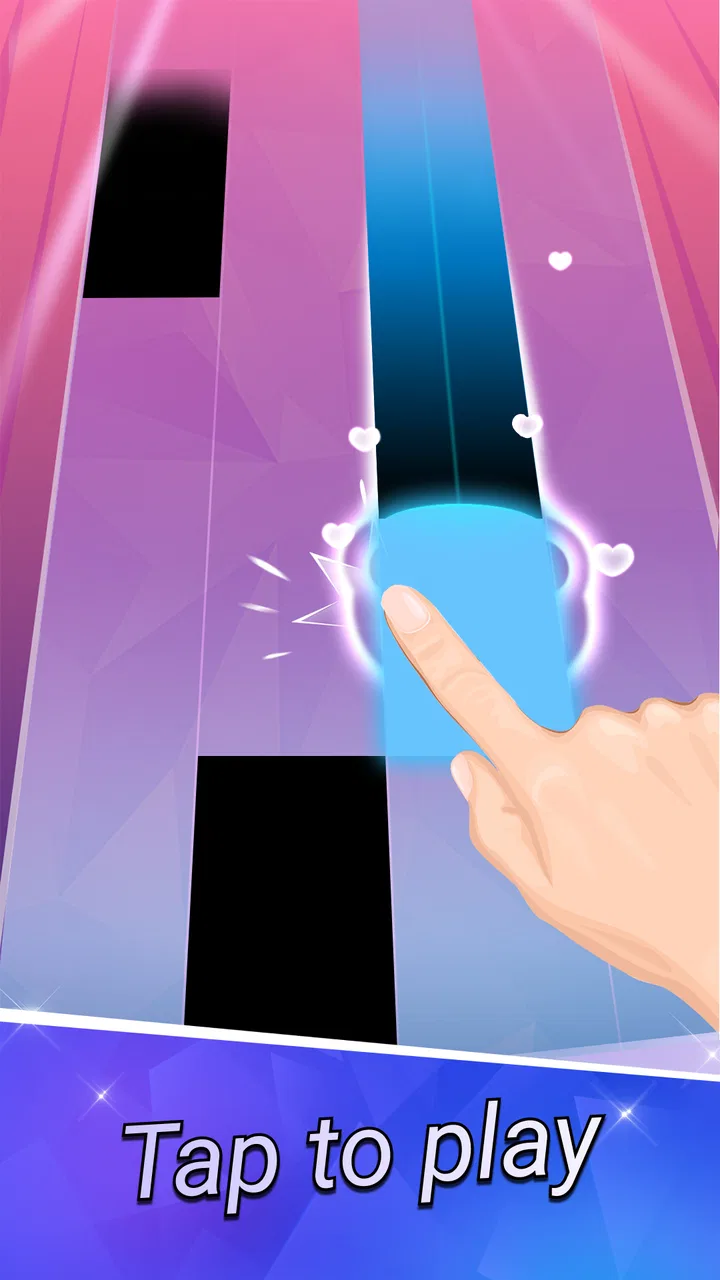
I approached Piano Tiles 2™ as the kind of game you open for a quick break and then keep playing because the next song feels almost within reach. It is a music game from Kooapps Games | Fun Arcade and Casual Action Games, built around timing rather than complicated controls. You tap the piano tiles as they arrive, trying to keep the rhythm without touching the wrong area. That simple idea makes the first minute easy to understand, while the later challenge comes from staying calm when the pattern speeds up.
The game is free to download and is suitable for Everyone, which makes it an approachable choice for families, casual players, and anyone who wants a light rhythm challenge. It has reached over ten million installs and holds a 4.3 average from around sixty-nine thousand ratings, so it is clearly not an obscure experiment. Still, popularity does not make every part of the experience perfect. I found its strongest appeal in short sessions, personal improvement, and the satisfying feeling of finally passing a section that previously defeated me.
What the first few minutes feel like
The central action is deliberately direct. You watch the moving tiles, place your finger at the right moment, and continue with the music. There is no need to learn a large control scheme before playing. That matters on a phone because the screen is already the controller, and the best rhythm games are usually the ones that let your attention stay on timing instead of menus.
You May Also Like

 Google Keep - Notes and lists
Google Keep’s Quiet Growth Shows the Appeal of Simpler Notes
As mobile work gets busier, Google Keep keeps winning a simple contest: capture a thought quickly, find it later, and get on with the day.

 Blood Strike: 2.5 Anniversary
Blood Strike’s Loadouts Turn Every Drop Into a Tactical Gamble
A close look at Blood Strike’s custom loadouts: how fast access to signature weapons reshapes its battle royale rhythm, rewards preparation, and narrows the gap between fights.

 Pandora - Music & Podcasts
Pandora’s Music Is Easy to Start, but Harder to Recover
Pandora’s strength is its low-effort path from a seed to a station. Its weak spot is how much confidence it asks you to place in connection, setup, and quiet recovery.

 8 Ball Pool
 Is Built on Rivalries, Rematches, and Routine
A close look at the rivalries, rematches, shared routines, and unanswered safety questions that turn a quick pool match into a persistent mobile community.

 Samsung Music
’s Quiet Strength Is Playing What You Already Own
Its reach comes less from spectacle than from dependable access to a personal library. That simplicity is both the app’s strongest retention engine and its ceiling.

 AccuWeather: Weather Radar
AccuWeather Review: A Quick, Clear Forecast for Everyday Decisions
For everyday plans, the best forecast is the one you can understand quickly. AccuWeather makes rain timing, radar, and local conditions easy to act on, with a few trade-offs.
More From Our News Desk



My first useful advice is to hold the phone comfortably before starting. A loose grip makes quick taps less precise, while gripping too tightly can make your hand tire during repeated attempts. I prefer using one thumb when the pattern feels manageable and switching to an index finger when the tiles demand more reach. The game is easy to start with one hand, but two-handed play can feel steadier once the pace increases.
The music gives the action its character, but the visual movement is just as important. I learned to treat each tile as part of a short sequence rather than reacting to isolated taps. Looking slightly ahead of the tile currently under my finger helped me avoid panic. That small change is one of the first meaningful improvements a new player can make: listen to the beat, but let your eyes prepare the next movement.
Because the game is categorized as a music title, people may expect a full musical instrument experience. I would set expectations differently. This is not a piano-learning app, and it does not turn your phone into a realistic keyboard. It is an arcade rhythm game that borrows piano imagery to make accurate tapping feel musical. If you want notation, lessons, or free-form playing, another kind of app will suit you better.
Starting without overthinking the setup
The current version is 1.8.23, and it supports devices running Android 6.0 or later. Once installed, I would begin with the basic play option rather than spending time exploring every available choice. The quickest way to understand whether this game fits you is to play a short round and notice how the controls respond to your touch.
There is no reason to chase a perfect result on the first attempt. Early misses are useful because they show whether your problem is speed, visual tracking, or simply tapping too early. I found it helpful to keep the volume at a level where the beat was clear but not distracting. If you are playing around other people, the visual rhythm still carries the game, although the music is an important part of the intended experience.
One practical point is to avoid beginning during a situation that already divides your attention. A round may look casual, but the moment the tile stream accelerates, checking a message or talking to someone can break your timing. This is a better fit for a short, focused pause than for background play while multitasking.
The free entry point is generous enough for someone who only wants to test the idea, but optional purchases range from $0.99 to $299.99 per item. That is worth keeping in mind before handing the phone to a child. I recommend treating purchases as something to review deliberately, not as part of the basic setup. The game can be sampled without deciding immediately whether you want to spend money.
Turning the first round into a real success
A first meaningful success is not necessarily reaching the highest possible score. For me, it was completing a short sequence without tapping from fear. New players often rush because they expect the next tile to arrive sooner than it does. Instead, I suggest using the opening section to establish a steady tempo. Tap only when the tile reaches the correct area, and let the music guide your pace rather than trying to outrun it.
When I miss, I try to identify the exact reason instead of restarting automatically. If the tile was visible but my finger landed late, the solution is a small timing adjustment. If I lost track of the next tile, I need to look farther ahead. If the screen felt crowded, I slow my attention and focus on the path rather than the score. This makes each attempt a tiny practice session instead of a series of frustrated restarts.
A useful habit is to keep your finger movement economical. Large swipes or lifting the hand too high waste time and make the next tap less predictable. Small, controlled taps are easier to repeat. I also avoid changing my grip halfway through a difficult sequence unless the current position is genuinely causing misses. Consistency is more valuable than dramatic reactions.
The game’s appeal becomes clearer after this first success. A song that initially feels too fast can become readable once your eyes learn its pattern. That improvement is satisfying because it comes from your own timing, not from collecting a complicated set of abilities. For a quick evening challenge, this direct progression is more rewarding than a game that buries the basic action under upgrades and instructions.
Where new players commonly get confused
The biggest misunderstanding is assuming that tapping faster is always the answer. It is not. Rhythm games punish nervous speed as much as hesitation. When a sequence becomes more demanding, I try to keep the same relaxed motion and let the tiles determine the tempo. A frantic finger may feel active, but it usually makes the next tap less accurate.
Another common mistake is watching only the tile directly under the finger. That works during the easiest moments, then suddenly fails when several tiles arrive close together. Training yourself to notice the next one early gives you more time to prepare. I do not stare at the entire screen; I keep the current tile in focus while allowing the upcoming path to remain in peripheral vision.
It is also easy to confuse a failed attempt with a problem in the game. Touch accuracy depends on how you hold the phone, where your finger lands, and whether your hand is covering part of the display. Before deciding that a section is unfair, I try the same passage with a different grip and a lighter touch. That simple check has helped me separate my own positioning errors from genuine difficulty.
The free-to-play structure may create a second kind of confusion. A player can enjoy the core tapping without wanting optional purchases, while another player may prefer to pay for convenience or additional access. Those are different expectations. I would not install this expecting every possible element to be unlocked automatically, and I would set a purchase boundary before letting younger players try it.
The age rating of Everyone makes the game broadly accessible, but accessibility does not mean every session is equally comfortable for every person. Fast visual movement and repeated tapping may be tiring for someone sensitive to flashing or for a player with limited hand mobility. Short sessions, lower intensity, and regular breaks are sensible choices. If your priority is calm, slow-paced entertainment, this may not be the right music app.
How it compares with other music games
Compared with a piano simulator, this game is much more focused on reflexes. A simulator is better if you want to explore individual notes or play without a fixed stream. Compared with a rhythm game that uses large directional controls, the piano-tile format feels more compact and immediate, but it can also demand more precise finger placement as the pace rises.
I also see a difference between this and music games built around long-term character systems. Those games may offer a broader sense of progression through stories, collections, or customization. Here, the main satisfaction is closer to arcade practice: repeat a section, learn its timing, and improve your result. That makes it easier to pick up for five minutes, though players seeking a deep narrative or a large social world may quickly want something else.
The party angle is worth interpreting sensibly. Passing the phone around can make the game a quick group challenge, especially when friends compare who can maintain the rhythm longest. However, it is not a replacement for a full multiplayer party game with shared rounds and elaborate interaction. Its social value comes from taking turns and reacting to one another’s attempts, not from a large cooperative system.
For an everyday example, I could see using it during a commute break, while waiting for an appointment, or after dinner when I want something more active than scrolling but less demanding than a long adventure game. I would not choose it while walking, cooking, or riding a bicycle. The screen needs attention, and the timing challenge becomes less enjoyable when the environment keeps interrupting you.
Making progress without turning it into a chore
Once the basic controls feel natural, I recommend choosing one specific goal per session. That might be surviving a troublesome passage, improving consistency, or finishing a song without changing your grip. A narrow goal keeps the game from becoming an endless loop of chasing a score you may not yet be ready to beat.
Another useful approach is to stop after a genuinely good attempt instead of playing until every round feels worse. Repeated misses often come from tired attention rather than a lack of ability. Since the game is designed for quick rhythm sessions, leaving after a small improvement can make it easier to return later with a clear head.
I would also pay attention to the difference between recognition and reaction. At first, I reacted to each tile as it appeared. With practice, I began recognizing short patterns and preparing my hand earlier. That does not remove the need for accuracy, but it reduces the feeling that every tap is an emergency. This is where the game becomes more than a simple time-killer: it rewards observation, timing, and controlled repetition.
Players who enjoy music but dislike pressure should try it briefly before committing. The visuals and sound can be appealing, yet the challenge is built around mistakes and retries. Someone who wants to relax with familiar songs may prefer a music-listening app or a slower puzzle game. Someone who enjoys chasing better timing, even in short bursts, is more likely to appreciate the design.
The developer, Kooapps Games | Fun Arcade and Casual Action Games, presents a game that is easy to understand without making the first successful run feel meaningless. Its strength is the clean relationship between what you see, what you hear, and what your finger does. Its weakness is that the same narrow focus can become repetitive if you need broad variety, a story, or a more substantial multiplayer experience.
My recommendation for a first-time player
I would recommend installing it if you want a free music-themed arcade game that starts immediately and gives you a clear way to improve. Begin with a comfortable grip, use the opening sequence to find the beat, and judge each miss by its cause. Do not rush into purchases, and do not assume that higher speed requires wild tapping. Calm repetition is the more reliable path.
I would skip it if you are looking for actual piano practice, a relaxed listening experience, or a game where progress depends mainly on exploration and story. It is also a poor choice for distracted play because successful rounds require your eyes and finger to stay engaged. Those limits are not deal-breakers; they simply define what this particular game does well.
After trying the first few rounds, the next step is to return to the section that gave you trouble and change one thing at a time: your grip, your viewing focus, or your tapping pace. That small workflow makes improvement easier to notice. In my experience, the best part of Piano Tiles 2™ is not the first easy tap, but the moment a previously confusing sequence finally becomes predictable.
With a 4.3 average and a large established player base, it has enough evidence of broad appeal to deserve a fair test. I see it as a compact, approachable rhythm game rather than a complete musical toolkit. If that distinction matches what you want, its free starting point and Everyone rating make the decision simple: try a short session, focus on timing, and keep playing only if the improvement loop feels satisfying.
FAQs for Piano Tiles 2™ - Piano Game
01What is Piano Tiles 2™ and how does it work?
Piano Tiles 2™ is a music rhythm game where players tap on black tiles as they appear on the screen, following the beat of various piano pieces. The game tests your reflexes and timing as you progress through increasingly difficult levels. Each song is presented with varying speeds and complexities, making it both challenging and addictive.
02Is Piano Tiles 2™ free to play, and are there any in-app purchases?
Yes, Piano Tiles 2™ is free to download and play. However, it offers in-app purchases that can enhance your gaming experience. These purchases include additional songs, ad removal, and other premium features. While the game can be enjoyed without spending money, some players might opt for purchases to unlock more content or remove ads.
03What are the main features of Piano Tiles 2™?
Piano Tiles 2™ features a wide variety of songs across different genres, including classical and contemporary music. It offers a global competition mode where players can compete against others worldwide. The game also includes daily challenges, achievements, and leaderboards. Its simple, intuitive controls make it accessible for players of all ages.
04Can I play Piano Tiles 2™ offline?
Piano Tiles 2™ can be played offline, allowing you to enjoy the game without an internet connection. However, certain features such as leaderboards, global competition, and some in-game content may require an online connection. Playing offline is perfect for practice or enjoying the game when connectivity is limited.
05What should I do if Piano Tiles 2™ crashes or doesn't work properly?
If Piano Tiles 2™ crashes or experiences performance issues, first ensure your device meets the app's requirements and has the latest updates installed. Restarting your device can also help. If problems persist, try reinstalling the app or checking for any updates. For further assistance, you can contact the app's support team through their official website or app store page.
Pros
- Smooth and responsive controls enhance gameplay.
- Vast library of songs across various genres.
- Regular updates with new songs and features.
- Simple
- intuitive interface for easy navigation.
- Engaging sound quality for an immersive experience.
Cons
- Ads can interrupt gameplay frequently.
- In-app purchases can be pricey.
- Requires internet for some features.
- Difficulty spikes can be frustrating.
- Limited offline play options.

Piano Tiles 2™ - Piano Game
Gallery